Camera Settings
Step
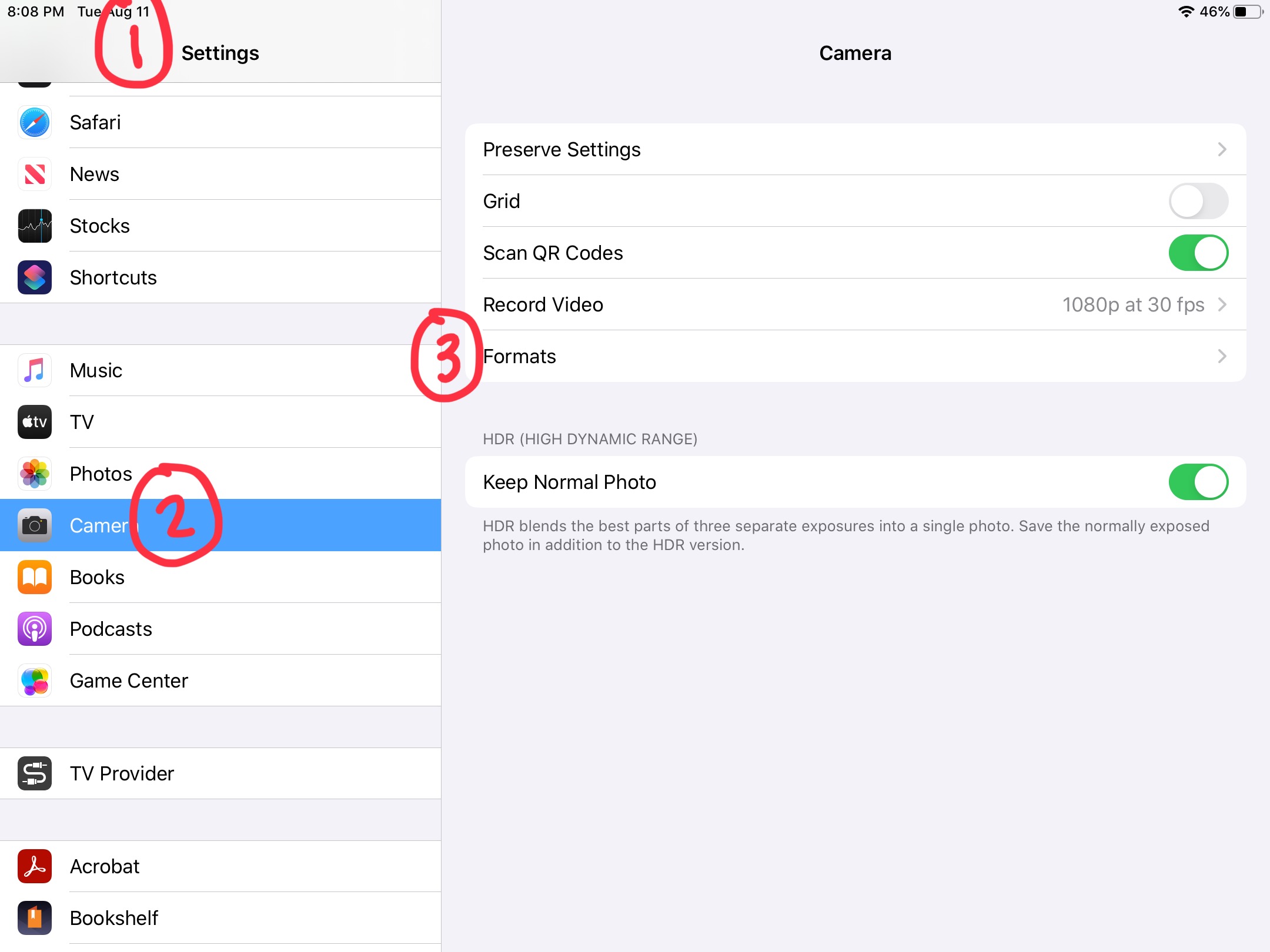
Open the settings app
Go to your iPad's home and tap on the settings icon

Step
Tap on the area that says camera
After opening camera settings tap on Formats
Step
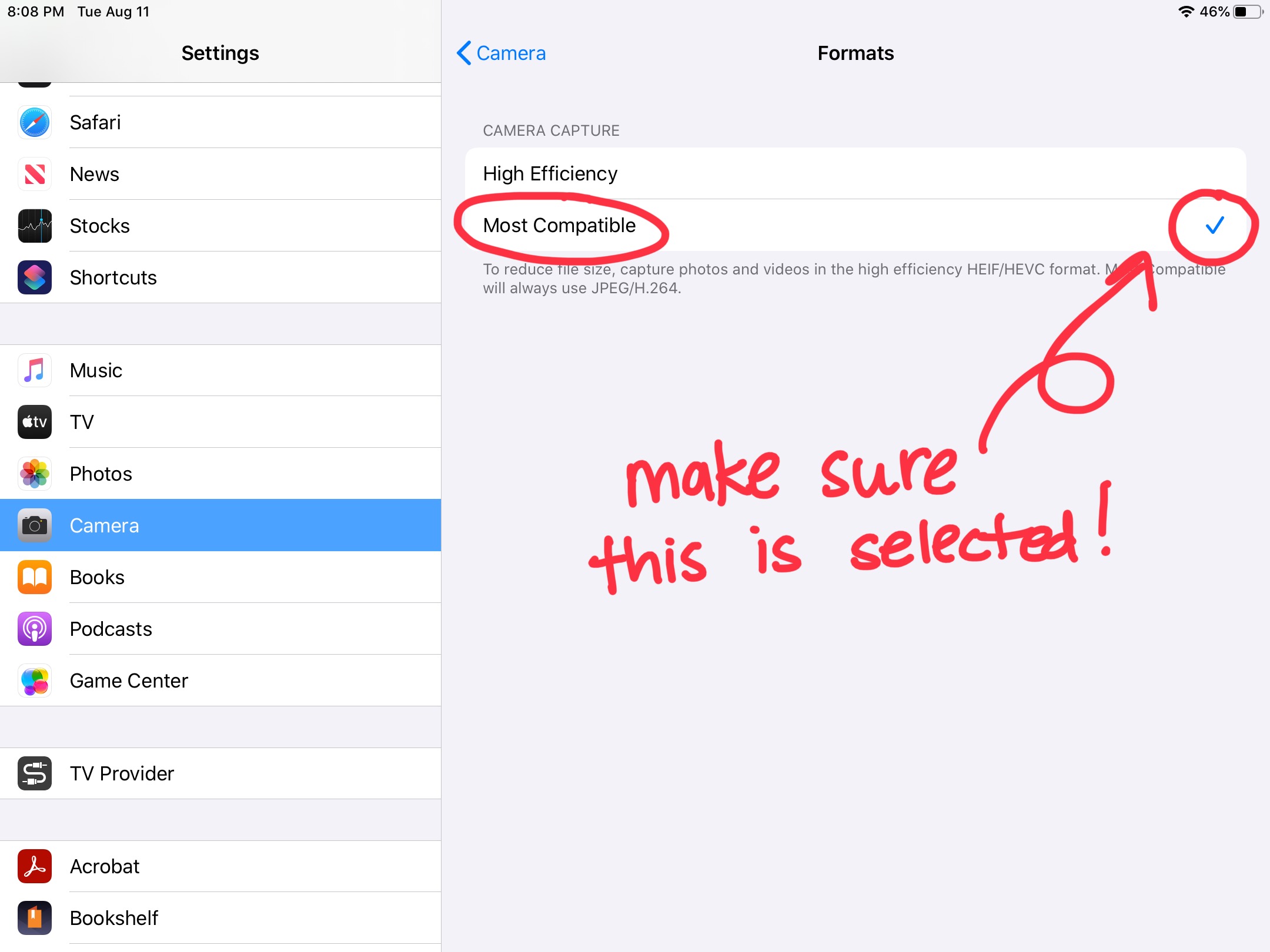
Make sure that the checkmark is next to Most Compatible to make images work with Canvas