Audio not working
Solution
Unplug audio devices (like headphones or speakers) from your Chromebook then plug them back in.
Make sure sound isn't muted:
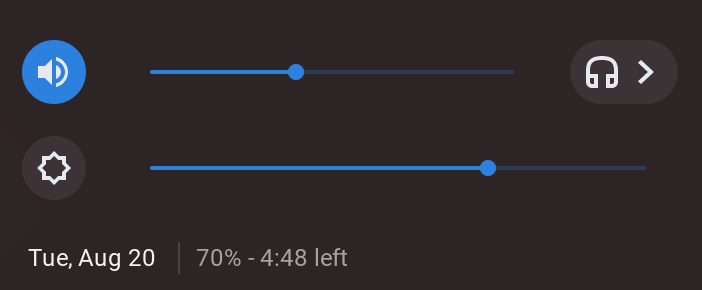
At the bottom, click on the time / battery area.
Look for the volume slider, and make sure it's not at the bottom.
If you can't find the volume slider, try the +/- volume buttons on the right side of your Chromebook

Solution
Change the sound output:
If there are headphones plugged in, at the bottom right select time, next to the volume slider, select the right arrow.
Change where the sound comes from, also known as the output.
To do this manually, go into settings.
Solution
If those don't work, restart your Chromebook.
Hold down the refresh button on your button, it looks like a circling arrow.
Tap the power button on the side of your Chromebook, hold if needed.
The screen should turn black. Wait for the computer to turn back on.
